
1.9 KiB
title, source, author, published, created, description, tags
| title | source | author | published | created | description | tags | ||
|---|---|---|---|---|---|---|---|---|
| Introduction to Bases | https://help.obsidian.md/bases |
|
2025-08-29 | Introduction to Bases - Obsidian Help |
|
Bases is a core plugin that lets you create database-like views of your notes. Using a base you can view, edit, sort, and filter files and their properties. Bases can help you organize everything from projects to travel plans, reading lists, and more.
Each base can have several views with different layouts such as tables and cards. Below is an example of table view where each row is a file, and each column is a property of that file.
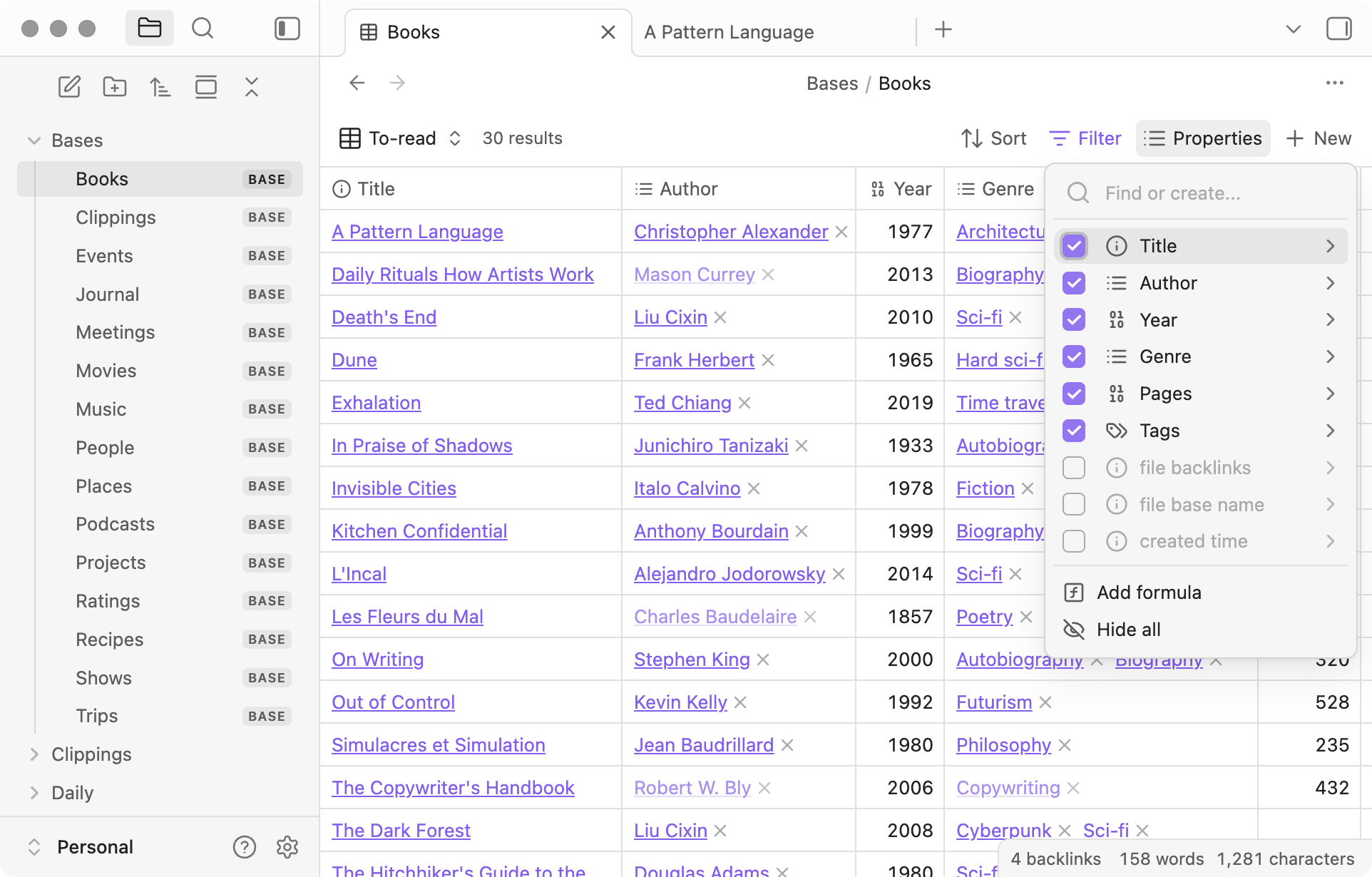
Example of a base showing a table view with a list of books
All the data in Obsidian Bases is stored in your local Markdown files and their properties. The views are described by the Bases syntax, which can be saved as a .base file or embedded in code blocks within your Markdown files.
How to use bases
- Create a base
- Learn how to create and embed a base.
- Views
- Explore filters, properties, and layouts.
- Functions
- Functions you can use in formulas and filters.
- Bases syntax
- How base files are formatted.
Introduction to Bases
Interactive graph
How to use bases