
242 lines
19 KiB
Markdown
242 lines
19 KiB
Markdown
---
|
||
title: "Why Developers Are Ditching PostgreSQL, MySQL and MongoDB"
|
||
source: "https://aws.plainenglish.io/why-developers-are-ditching-postgresql-mysql-and-mongodb-b3b953ebe6b6"
|
||
author:
|
||
- "[[Dipanshu ]]"
|
||
published: 2024-10-01
|
||
created: 2024-10-29
|
||
description: "Traditional databases falling short? Dive into 6 exciting database alternatives that are reshaping data management. From time series to vector search, stay ahead of the curve."
|
||
tags:
|
||
- "clippings"
|
||
---
|
||
## The Database Revolution Your Project Is Missing Out On
|
||
|
||
[
|
||
|
||

|
||
|
||
](https://dipanshu10.medium.com/?source=post_page---byline--b3b953ebe6b6--------------------------------)
|
||
|
||
[
|
||
|
||

|
||
|
||
](https://aws.plainenglish.io/?source=post_page---byline--b3b953ebe6b6--------------------------------)
|
||
|
||
|
||
|
||
image by author
|
||
|
||
> ==[Non-Medium Members Can Read the Full Article by Clicking Here.](https://aws.plainenglish.io/why-developers-are-ditching-postgresql-mysql-and-mongodb-b3b953ebe6b6?sk=df706ca38c768a4135c1f2cf3b180f92)==
|
||
|
||
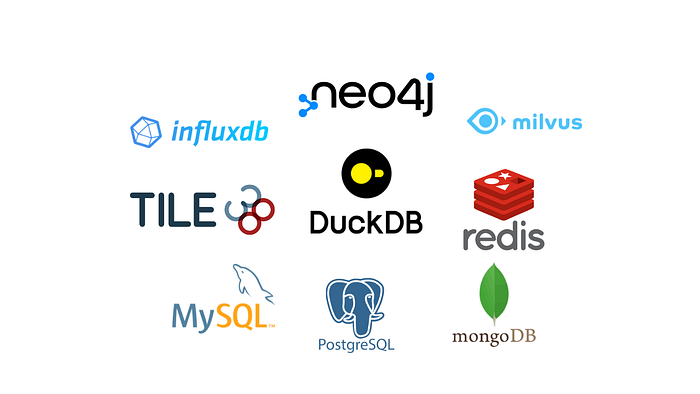
Traditional relational databases like PostgreSQL and MySQL, as well as document stores like MongoDB, have long been the go-to solutions for many developers. However, as data requirements become increasingly diverse and complex, a new generation of specialized databases has emerged to address specific challenges. In this article i will uncovers the alternative databases that offer unique capabilities for various use cases, providing a technical exploration of their features and practical Python code examples.
|
||
|
||
## Milvus :Scalable Vector Database for AI and Machine Learning
|
||
|
||
Milvus is an open-source vector database designed to power AI applications and similarity search at massive scale. It’s particularly useful for applications involving machine learning, computer vision, natural language processing, and recommender systems.
|
||
|
||
## Key Features:
|
||
|
||
- **Efficient Similarity Search**: Implements various indexing algorithms for fast nearest neighbor search in high-dimensional spaces.
|
||
- **Scalability**: Supports distributed deployments for handling large-scale vector data.
|
||
- **Hybrid Search**: Combines vector similarity search with scalar filtering for complex queries.
|
||
- **CRUD Operations**: Supports create, read, update, and delete operations on vector data.
|
||
- **Data Consistency**: Ensures strong consistency of data in distributed environments.
|
||
|
||
## When to Use Milvus:
|
||
|
||
- Image and video search
|
||
- Recommendation systems
|
||
- Natural language processing applications
|
||
- Fraud detection
|
||
|
||
## Python Example:
|
||
|
||
```
|
||
from pymilvus import Collection, CollectionSchema, DataType, FieldSchema, connectionsdef main() -> None: connections.connect() fields = [ FieldSchema(name="id", dtype=DataType.INT64, is_primary=True), FieldSchema(name="vector", dtype=DataType.FLOAT_VECTOR, dim=128), ] schema = CollectionSchema(fields, "Vector collection example") collection = Collection("example_collection", schema) import numpy as np vectors = np.random.random([1000, 128]).astype(np.float32) ids = list(range(1000)) collection.insert([ids, vectors]) collection.load() results = collection.search( vectors[:1], "vector", param={"metric_type": "L2", "params": {"nprobe": 10}}, limit=3, ) for hit in results[0]: print(f"Hit ID: {hit.id}, Distance: {hit.distance}")if __name__ == "__main__": main()
|
||
```
|
||
|
||
This example demonstrates how to create a collection in Milvus, insert vector data, and perform a similarity search.
|
||
|
||
## InfluxDB: Mastering Time Series Data
|
||
|
||
InfluxDB is a purpose-built time series database designed for high-performance handling of timestamped data. It excels in scenarios such as monitoring Internet of Things (IoT) applications and real-time analytics.
|
||
|
||
## Key Features:
|
||
|
||
- **Time-Structured Merge Tree (TSM)**: InfluxDB uses a custom storage engine optimized for time series data, providing efficient compression and fast queries.
|
||
- **Flux Query Language**: A powerful functional data scripting language designed for time series data analysis.
|
||
- **Continuous Queries**: Automatically computed aggregate data to optimize frequently-used queries.
|
||
- **Retention Policies**: Automated data management policies to down-sample or expire old data.
|
||
|
||
**When to Use InfluxDB:**
|
||
|
||
- Real-time analytics applications
|
||
- IoT data monitoring
|
||
- System monitoring and metrics collection
|
||
|
||
## Python Example:
|
||
|
||
```
|
||
from datetime import datetimeimport numpy as npfrom influxdb_client import InfluxDBClient, Point, Task, WritePrecisionfrom influxdb_client.client.write_api import SYNCHRONOUStoken = "your_token"org = "your_org"bucket = "example_bucket"client = InfluxDBClient(url="http://localhost:8086", token=token)write_api = client.write_api(write_options=SYNCHRONOUS)for i in range(100): point = ( Point("cpu_load") .tag("host", "server01") .field("value", np.random.uniform(0.5, 1.5)) .time(datetime.now(), WritePrecision.NS) ) write_api.write(bucket=bucket, org=org, record=point)query_api = client.query_api()flux_query = f"""from(bucket: "{bucket}") |> range(start: -1h) |> filter(fn: (r) => r._measurement == "cpu_load") |> filter(fn: (r) => r._field == "value") |> aggregateWindow(every: 5m, fn: mean, createEmpty: false) |> yield(name: "mean")"""tables = query_api.query(flux_query)for table in tables: for record in table.records: print( f"Time: {record.get_time()}, 5-Minute Moving Average: {record.get_value()}" )task = Task( name="cpu_load_moving_avg", flux=f""" option task = {{ name: "cpu_load_moving_avg", every: 1m }} from(bucket: "{bucket}") |> range(start: -1m) |> filter(fn: (r) => r._measurement == "cpu_load") |> aggregateWindow(every: 1m, fn: mean) |> to(bucket: "{bucket}", org: "{org}") """,)tasks_api = client.tasks_api()tasks_api.create_task(task=task)print("Task created to calculate and store rolling averages every minute.")
|
||
```
|
||
|
||
This example demonstrates:
|
||
|
||
1. Connecting to InfluxDB and setting up a write API.
|
||
2. Generating and writing simulated sensor data with multiple fields and tags.
|
||
3. Querying data using Flux to calculate mean values over the last hour.
|
||
4. Processing and displaying query results.
|
||
|
||
## Neo4j: Unraveling Complex Relationships
|
||
|
||
Neo4j is a graph database that uses nodes, edges, and properties to represent and store data. This structure is ideal for applications where relationships between entities are crucial, such as social networks or recommendation systems.
|
||
|
||
## Key Features:
|
||
|
||
- **Property Graph Model**: Represents data as nodes, relationships, and properties, allowing for rich data modeling.
|
||
- **Cypher Query Language**: A declarative query language designed for working with graph data.
|
||
- **ACID Transactions**: Ensures data integrity even in highly connected data scenarios.
|
||
- **Native Graph Storage**: Optimized for traversing relationships, making complex queries faster compared to relational databases.
|
||
|
||
## When to Use Neo4j:
|
||
|
||
- Social network analysis
|
||
- Recommendation engines
|
||
- Fraud detection systems
|
||
- Knowledge graphs
|
||
|
||
## Python Example:
|
||
|
||
```
|
||
from neo4j import GraphDatabase, ManagedTransactionURI = "bolt://localhost:7687"DRIVER = GraphDatabase.driver(URI, auth=("neo4j", "password"))def add_friend(tx: ManagedTransaction, name: str, friend_name: str) -> None: tx.run( "CREATE (a:Person {name: $name})-[:FRIEND]->(b:Person {name: $friend_name})", name=name, friend_name=friend_name, )def main() -> None: with DRIVER.session() as session: session.write_transaction(add_friend, "Alice", "Bob") with DRIVER.session() as session: result = session.run( "MATCH (a:Person)-[:FRIEND]->(b:Person) RETURN a.name, b.name" ) for record in result: print(f"{record['a.name']} is friends with {record['b.name']}") DRIVER.close()if __name__ == "__main__": main()
|
||
```
|
||
|
||
This example demonstrates:
|
||
|
||
1. Creating a reusable Neo4j connection class.
|
||
2. Adding nodes (people) and relationships (friendships) to the graph.
|
||
3. Performing a more complex query to find “friends of friends” — a task that would be more complicated in a relational database.
|
||
|
||
## DuckDB: Analytical Queries at Lightning Speed
|
||
|
||
DuckDB is a lightweight, in-process analytical database often described as “SQLite for analytics.” It’s designed for fast analytical queries, particularly in data science workflows, and can seamlessly integrate with pandas DataFrames.
|
||
|
||
## Key Features:
|
||
|
||
- **Vectorized Query Execution**: Processes data in batches rather than row-by-row, leading to significant performance improvements.
|
||
- **Column-Oriented Storage**: Optimized for analytical queries that typically involve a subset of columns.
|
||
- **Zero-Copy Data Ingestion**: Can query data directly from sources like Pandas DataFrames without copying.
|
||
- **ACID Transactions**: Ensures data consistency and reliability.
|
||
|
||
## When to Use DuckDB:
|
||
|
||
- Data analysis and exploration
|
||
- ETL processes
|
||
- Embedded analytics in Python applications
|
||
|
||
## Python Example:
|
||
|
||
```
|
||
import duckdbimport numpy as npimport pandas as pdduckdb.execute("""CREATE TABLE employees AS SELECT * FROM 'employees.csv';""")result = duckdb.execute("SELECT COUNT(*) FROM employees").fetchall()print(f"Total number of employees: {result[0][0]}")df = pd.DataFrame( { "employee_id": range(1, 101), "name": [f"Employee {i}" for i in range(1, 101)], "salary": np.random.randint(50000, 150000, size=100), })duckdb.execute("CREATE TABLE df_employees AS SELECT * FROM df")high_earners = duckdb.query_df(df, "df", "SELECT * FROM df WHERE salary > 100000").df()print("High earners:")print(high_earners)window_query = """SELECT employee_id, salary, AVG(salary) OVER () AS avg_salary, RANK() OVER (ORDER BY salary DESC) AS rankFROM df_employees"""ranked_salaries = duckdb.execute(window_query).df()print("Ranked salaries with average:")print(ranked_salaries)department_df = pd.DataFrame( { "employee_id": range(1, 101), "department": np.random.choice( ["Engineering", "HR", "Sales", "Marketing"], size=100 ), })duckdb.execute("CREATE TABLE departments AS SELECT * FROM department_df")aggregation_query = """SELECT d.department, COUNT(e.employee_id) AS num_employees, AVG(e.salary) AS avg_salaryFROM df_employees eJOIN departments dON e.employee_id = d.employee_idGROUP BY d.department"""department_stats = duckdb.execute(aggregation_query).df()print("Department statistics:")print(department_stats)
|
||
```
|
||
|
||
This example demonstrates:
|
||
|
||
1. Creating an in-memory DuckDB database and registering a Pandas DataFrame as a table.
|
||
2. Executing a complex analytical query that includes:
|
||
|
||
- Daily aggregations
|
||
- Moving averages
|
||
- Lag calculations for day-over-day comparisons
|
||
|
||
3\. Performing overall statistical calculations on the dataset.
|
||
|
||
## Redis: High-Performance Data Structures
|
||
|
||
Redis is a fast, in-memory data structure store that can be used as a database, cache, and message broker. Unlike traditional databases, Redis runs entirely in memory, making it extremely fast for read and write operations.
|
||
|
||
## Key Features:
|
||
|
||
- **In-Memory Data Storage**: Provides extremely fast read and write operations.
|
||
- **Data Structures**: Supports strings, hashes, lists, sets, sorted sets, bitmaps, hyperloglog, and geospatial indexes.
|
||
- **Pub/Sub Messaging**: Built-in publish/subscribe messaging paradigm for building real-time applications.
|
||
- **Lua Scripting**: Allows for complex operations to be performed atomically on the server-side.
|
||
|
||
## When to Use Redis:
|
||
|
||
- Caching layer for performance improvement
|
||
- Real-time analytics
|
||
- Session management
|
||
- Leaderboards and counting
|
||
|
||
## Python Example:
|
||
|
||
```
|
||
import subprocessimport threadingimport timeimport redistype RedisProcess = subprocess.Popen[bytes]stop_listening = threading.Event()def start_redis_server() -> RedisProcess: process = subprocess.Popen( ["redis-server"], stdout=subprocess.PIPE, stderr=subprocess.PIPE ) time.sleep(0.5) return processdef stop_redis_server(process: RedisProcess) -> None: process.terminate() process.wait()def real_time_data(r: redis.Redis) -> None: r.set("page_views", 0) r.incr("page_views") r.incr("page_views") page_views = r.get("page_views").decode("utf-8") print(f"Page views: {page_views}")def task_queue(r: redis.Redis) -> None: r.rpush("task_queue", "task1") r.rpush("task_queue", "task2") r.rpush("task_queue", "task3") task = r.lpop("task_queue").decode("utf-8") print(f"Processing task: {task}")def redis_set(r: redis.Redis) -> None: r.sadd("unique_users", "user1") r.sadd("unique_users", "user2") r.sadd("unique_users", "user1") unique_users = r.smembers("unique_users") print(f"Unique users: {[user.decode('utf-8') for user in unique_users]}")def expiring_data(r: redis.Redis) -> None: r.set("session_token", "abc123", ex=3600) session_token = r.get("session_token").decode("utf-8") print(f"Session token: {session_token} (will expire in 1 hour)")def pub_sub_messaging(r: redis.Redis) -> None: def message_handler(message): print(f"Received message: {message['data'].decode('utf-8')}") def listen_for_messages(): p = r.pubsub() p.subscribe("my-channel") while not stop_listening.is_set(): message = p.get_message(timeout=1.0) if message and message["type"] == "message": message_handler(message) listener_thread = threading.Thread(target=listen_for_messages) listener_thread.start() time.sleep(0.5) r.publish("my-channel", "Hello, Redis!") time.sleep(0.5) stop_listening.set() listener_thread.join() def main() -> None: redis_process = start_redis_server() r = redis.Redis(host="localhost", port=6379, db=0) real_time_data(r) task_queue(r) redis_set(r) expiring_data(r) pub_sub_messaging(r) stop_redis_server(redis_process) print("Redis server stopped.")if __name__ == "__main__": main()
|
||
```
|
||
|
||
This example demonstrates various Redis features, including counters, task queues, sets for unique items, expiring data, and pub/sub messaging.
|
||
|
||
## **Tile38 :**Geospatial Database and Geofencing Server
|
||
|
||
Tile38 is a specialized geospatial database that allows you to store, query, and analyze geospatial data in real-time. It’s ideal for applications such as fleet management, asset tracking, and location-based services.
|
||
|
||
## Key Features:
|
||
|
||
- **Geospatial Indexing**: Efficiently indexes and queries spatial data.
|
||
- **Real-time Geofencing**: Supports instant notifications when objects enter or exit defined areas.
|
||
- **Multiple Object Types**: Handles points, bounding boxes, XYZ tiles, GeoJSON, etc.
|
||
- **Scripting**: Supports Lua scripting for complex geospatial operations.
|
||
- **Pub/Sub Model**: Allows for real-time notifications of spatial events.
|
||
|
||
## When to Use Tile38:
|
||
|
||
- Fleet management systems
|
||
- Location-based services
|
||
- Asset tracking
|
||
- Geofencing applications
|
||
|
||
## Python Example:
|
||
|
||
```
|
||
import threadingimport timefrom pyle38 import Tile38tile38 = Tile38(url="redis://localhost:9851") async def add_locations(): await tile38.set("fleet").point("truck1", 33.5123, -112.2693).exec() await tile38.set("fleet").point("truck2", 33.5011, -112.1710).exec() await tile38.set("fleet").point("truck3", 40.7128, -74.0010).exec()async def create_geofence(): await ( tile38.within("fleet") .circle(33.5, -112.2, 5000) .detect("enter", "exit") .object("delivery_zone") )def monitor_geofence(): pubsub = tile38.pubsub() pubsub.subscribe("delivery_zone") for message in pubsub.listen(): print(f"Geofence Alert: {message}")monitor_thread = threading.Thread(target=monitor_geofence)monitor_thread.start()async def main(): await add_locations() await create_geofence() time.sleep(1) await tile38.set("fleet", "truck4").point(33.4018, -112.8965).exec() time.sleep(5) monitor_thread.join()if __name__ == "__main__": import asyncio asyncio.run(main())
|
||
```
|
||
|
||
This example demonstrates how to add geospatial objects to Tile38, create a geofence, query for objects within the geofence, and set up real-time notifications for geofence activities.
|
||
|
||
## Conclusion
|
||
|
||
As we’ve explored, each of these alternative databases brings unique capabilities to the table:
|
||
|
||
1. **InfluxDB** excels at handling time-series data, making it ideal for IoT and monitoring applications.
|
||
2. **Neo4j** shines when dealing with highly interconnected data, perfect for social networks and recommendation systems.
|
||
3. **DuckDB** offers lightning-fast analytical queries, particularly useful for data scientists and analysts.
|
||
4. **Redis** provides high-performance in-memory data structures, great for caching and real-time applications.
|
||
5. **Milvus** specializes in vector similarity search, crucial for AI and machine learning applications.
|
||
6. **Tile38** focuses on geospatial data and real-time geofencing, essential for location-based services.
|
||
|
||
While these specialized databases offer powerful features, it’s crucial to remember that they also introduce additional complexity to your architecture. Each new database adds overhead in terms of hosting, management, backups, and security.
|
||
|
||
Before adopting any of these alternatives, consider the following:
|
||
|
||
1. **Start Simple**: Don’t overcomplicate your architecture from the beginning. Traditional databases like PostgreSQL or MongoDB can handle many use cases effectively.
|
||
2. **Evaluate Your Needs**: Carefully assess whether your project truly requires the specialized features offered by these databases.
|
||
3. **Consider Scaling**: Think about how your data and query needs might evolve as your project grows.
|
||
4. **Maintenance Overhead**: Factor in the time and resources required to maintain and secure an additional database system.
|
||
5. **Cloud Solutions**: Explore managed database services offered by cloud providers, which can simplify deployment and maintenance.
|
||
|
||
Remember, the goal is to balance performance with maintainability. Sometimes, a simple solution using a well-known database is preferable to a complex system with multiple specialized databases.
|
||
|
||
> I’d love to hear your thoughts! If you have any suggestions, critiques, or questions, don’t hesitate to drop them in the comments — I’m always eager to improve. Also, if you enjoyed this article and want to stay updated on future content, be sure to **follow me here on** [**Dipanshu **](https://medium.com/u/a13c06f39296?source=post_page---user_mention--b3b953ebe6b6--------------------------------)and on [**X.com**](https://x.com/dipanshu089) for more insights and updates. Your feedback and support mean the world!
|
||
|
||
Stay tuned — there’s plenty more to come!
|
||
|
||
## In Plain English 🚀
|
||
|
||
*Thank you for being a part of the* [***In Plain English***](https://plainenglish.io/) *community! Before you go:*
|
||
|
||
- Be sure to **clap** and **follow** the writer ️👏**️️**
|
||
- Follow us: [**X**](https://twitter.com/inPlainEngHQ) | [**LinkedIn**](https://www.linkedin.com/company/inplainenglish/) | [**YouTube**](https://www.youtube.com/channel/UCtipWUghju290NWcn8jhyAw) | [**Discord**](https://discord.gg/in-plain-english-709094664682340443) | [**Newsletter**](https://newsletter.plainenglish.io/)
|
||
- Visit our other platforms: [**CoFeed**](https://cofeed.app/) | [**Differ**](https://differ.blog/)
|
||
- More content at [**PlainEnglish.io**](https://plainenglish.io/) |